

Adding Your Bank Account for Payouts
Before payouts can be processed, you need to add and link a bank account to each of your TurnStay accounts. This only needs to be done once per account.
How to add a bank account
Section titled “How to add a bank account”-
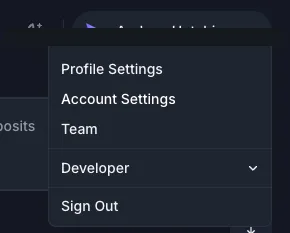
Go to Account Settings
Click your name in the top-right corner of the dashboard and select Account Settings.
-
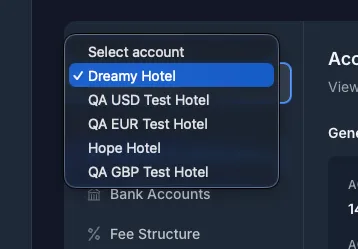
Select the account you want to configure
Use the account selector to choose which account you’re adding bank details to. If you have multiple accounts (for example, separate ZAR and USD accounts), you’ll need to repeat this process for each one.
-
Click Add bank account
Under the Bank Accounts section, click Add bank account.

-
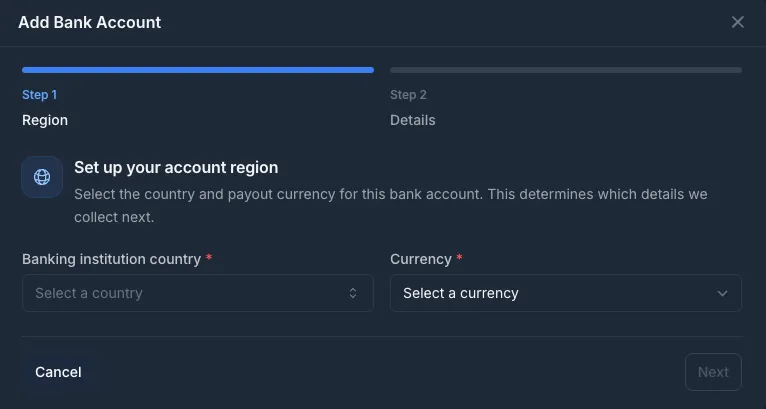
Enter your bank details
You’ll be guided through two steps: first select your banking institution country and payout currency, then enter your account details on the next screen.
Questions?
Section titled “Questions?”Contact us at support@turnstay.com and we’ll get you set up.